 Truestance
How Truestance works
One platform across your phone and your computer. The phone captures the scan, the computer does the heavy work, and both show you the result.
From one slow turn to a full scan
-
Scan
Your client turns once in front of an iPhone. A voice guides them through four held views. It takes about half a minute.
-
Process
A state-of-the-art human vision model maps the body in each view: the joints, the outline, the surface. It runs on your own computer.
-
Explain
The scan opens on your computer and your phone. Point at an offset, turn the 3D skeleton, add your notes.
Every scan in 3D
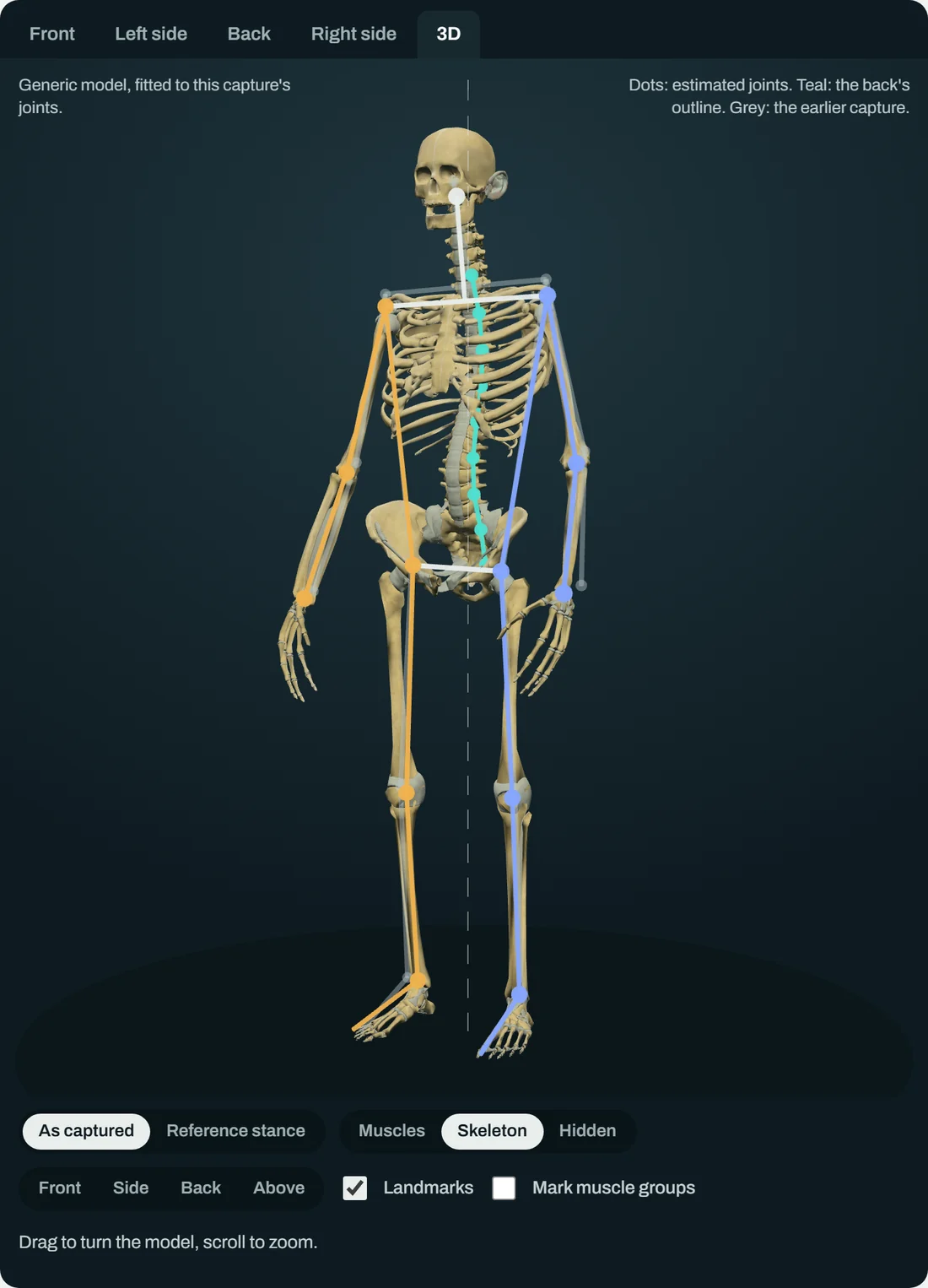
Each scan is fitted to a 3D model you can turn, with the skeleton or the muscles showing, so a client can see from any side how their shoulders, spine and hips line up.
From the front and the back, Truestance reads how level the shoulders, hips and knees are. From the side, it reads how the head, trunk, hips and knees sit over the feet, and the curve of the back. The set of readings is still growing.
Real change, not everyday variation
Posture varies a little every time someone stands. Truestance measures that variation, and marks a change between two visits only when it is larger.

Your clients' scans stay with you.
A scan goes from your phone to your own computer over your own Wi-Fi. Nothing is uploaded to us. The privacy policy has the detail.
Be one of the first studios
The beta opens soon. All you need is an iPhone and a computer in your studio.